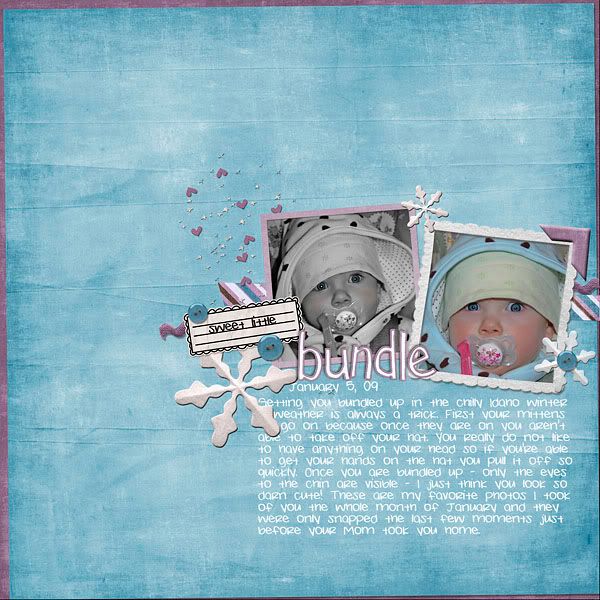
The first thing I did was edit the eyes to sharpen and brighten them - select eyes with lasso & create new layer. Filter>Other>Highpass with a radius of 4 px. Change the blending mode to overlay Merge layers. Copy photo layer and then edit copy to black & white leaving the color photo under it in the layer pallet. Use soft brush eraser on the B&W layer to let eye color show through. Copy B&W photo layer and use a soft brush to paint some pink on the cheeks. Change this layer mode to soft light lower the opacity then merge the layers.
The eye brightening trick I learned at The Daily Digi and you can check out that tutorial in full Here.
I wanted to alert you on some fun times ahead at the Scrap Orchard. I have been asked to oversee the challenges at the Orchard and I look forward to participating in as many of the challenges as I can. Points can be earned for each challenge and you will then receive a coupon code for discount shopping at the Orchard store. I hope you will join us in the fun.
 I had told those who attended the Craft Classes that Cheyenne and I put on earlier this month that I would share the link for the way fun colorburst cupcakes that we made on the first day of class. Now let me warn you.... this lady has many other fun and great ideas for food on her site so be prepared for some time lost as you surf around there LOL. My cupcakes weren't quite as picture perfect as this one but they were still lots of fun and YUMMO!
 Also in our Craft Class we made a "Box of Fun" and I want to site my source of inspiration as The Daily Digi. Yes.... I love that site and get lots of inspiration there. The list of 100 things to do that we put into our box we made are at THIS LINK and you may find that some of the ideas would make great Activity Days for church callings or whatever. Enjoy!
 How was that for a random post? Just had lots of tid-bits that I had saved up and decided to blog them all at one sitting. Have a great weekend.


3 comments:
i LOVE your layout (my new fav of yours) and your photoshoot pics are TOO CUTE!!! :)
you always share such fun things!
such fun ideas! loved Savannah's photo shoot, very natural & cute!!
Post a Comment